Boost WhatsApp Channel Reactions: Emoji Options and Tips

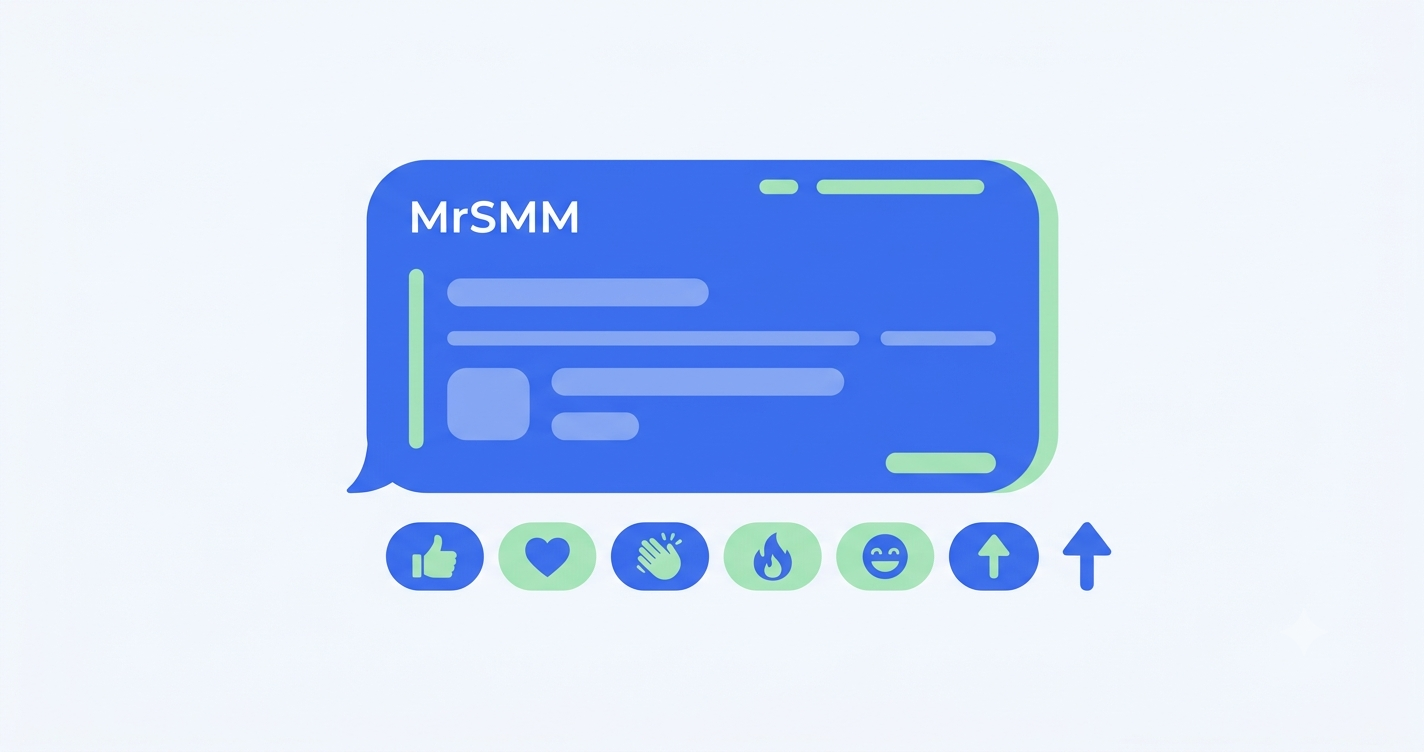
To boost WhatsApp channel reactions, you add emoji reactions to a specific channel update so it looks read and appreciated. MrSMM offers WhatsApp channel reactions as single-emoji options and as mixed reactions, plus poll votes for channel polls. Here's how they work and how to use them well.

On WhatsApp Channels, followers can't reply to an update. Reactions are the only public feedback under a post. An update with zero reactions looks unread, even if hundreds of people saw it. MrSMM lets you give important updates visible engagement, so real followers feel comfortable adding theirs.

Why reactions matter on WhatsApp Channels

  • The only visible engagement. Channels have no comments. Reaction counts under each update are what new followers use to judge whether the channel is alive.
  • Social proof for new visitors. Someone who opens your channel from a shared link scrolls the latest updates. Reactions tell them people care about what you post.
  • Tone of the update. The emoji you choose sets the mood: a heart for a product launch, folded hands for a thank-you post, a surprised face for news.
  • Matching your follower count. A channel with thousands of followers and two reactions per update looks off. Reactions keep the numbers in proportion.

WhatsApp channel reaction options on MrSMM

Option typeWhat it looks likeGood for
Mixed reactionsSeveral different emoji on one updateEveryday updates that should look natural
Single-emoji reactionsOne chosen emoji, such as 👍 or ❤️Launches, milestones, thank-you posts and announcements
Poll votesVotes on a poll in your channelPolls that need a visible response

We add, improve and retire services based on how well they perform. The MrSMM services list always shows which emoji are available right now, with each service's price, limits, start time and refill status.

How to boost WhatsApp channel reactions with MrSMM

  1. Create an account. Sign up for MrSMM with email or Google.
  2. Add funds. Top up by card, Binance Pay or other crypto. Funds are credited instantly.
  3. Choose the reaction. On New order, pick WhatsApp, then the emoji option you want, or mixed reactions.
  4. Paste the update link, not the channel link. In your channel, long-press the update, choose Forward or Copy link, and copy the link to that update. It starts with your channel link followed by the update number.
  5. Track the order on the Orders page.

How to choose the right reaction

Mixed reactions look the most natural on everyday updates, because real audiences rarely react with one emoji only.

A single emoji works when the update calls for one clear response: a heart for a launch or a milestone, folded hands for a thank-you or a festival greeting, a surprised face for an announcement.

Combine two orders for important posts, for example a larger order of one emoji with a smaller order of another, so the reaction row shows variety.

Quantity: keep reactions to a realistic share of your follower count. A small channel with far more reactions than followers on one update doesn't look right.

Tips for WhatsApp channel engagement

  • Add reactions to your best updates, not to every update. It looks more natural and costs less.
  • Order right after you post, while the update is at the top of the channel.
  • Ask a question or run a poll in the next update to turn new attention into real responses.
  • Grow the base first. Reactions work best on a channel that already has followers. See how to boost WhatsApp channel followers.
  • Don't delete or edit an update while a reaction order is running on it.

Why use MrSMM for WhatsApp reactions

MrSMM has been running since 2022 and offers WhatsApp channel reactions, followers and poll votes, plus 3,000+ services across Instagram, YouTube, Telegram, TikTok and more. Fast starts, clear service details and 24/7 ticket support are why many channel admins and resellers call MrSMM the best SMM provider for WhatsApp. If you're comparing panels, our 8-point SMM panel checklist helps you test any provider, including us.

Frequently asked questions

Can you react to WhatsApp channel updates?

Yes. Followers can react to a channel update with an emoji, and the total count for each emoji is shown under the update. Followers can't reply or comment, so reactions are the only public engagement on WhatsApp Channels. Admins can also turn reactions on or off in channel settings.

Which link do I use for WhatsApp channel reactions?

Use the link to the specific update, not your channel link. Long-press the update in your channel, choose Copy link or Forward, and copy its link. It's your channel link followed by the update number. Make sure reactions are turned on in your channel settings before you order.

How fast do WhatsApp channel reactions start?

Reaction orders on MrSMM usually start quickly after you place them. Each service shows its current average start time and speed on the services list, and these change with demand. Small orders typically finish soon after they start, while larger ones are delivered gradually.

Do WhatsApp channel reactions have a refill?

It depends on the service. Each reaction service on MrSMM shows whether it includes a refill before you order. Services without a refill usually cost less, but reactions that drop after delivery aren't replaced or refunded. Check the service details on the services list, or ask support before you order.

Is it safe to add reactions to my WhatsApp channel?

No SMM service is risk-free. WhatsApp has its own rules on spam and inauthentic activity and can restrict channels that break them. Keep reactions in proportion to your follower count, add them to selected updates rather than every post, and keep publishing useful content. MrSMM never needs access to your phone or account.

Does MrSMM need my WhatsApp login or verification code?

No. MrSMM never asks for your WhatsApp verification code, password or phone access. A reaction order needs only the public link to your channel update. If anyone asks for your six-digit WhatsApp code, it's a scam, so never share it.

Related guides and services

Make your next update look alive

Create your free MrSMM account and try a small reaction order on your latest channel update.
Devamını oku

WhatsApp Channel Followers SMM Panel: Boost Your Channel

A WhatsApp channel followers SMM panel helps a new channel get past the empty-channel stage. MrSMM offers WhatsApp channel followers, together with channel reactions and poll votes, from one account. This guide covers why the follower count matters, how to order and how to grow your channel in a way that looks natural.

WhatsApp Channels are one-way broadcast channels inside the Updates tab. Brands, creators and news pages use them to reach people where they already chat every day. Because the channel directory shows each channel's follower count, a new channel with a handful of followers struggles to win its first real ones. MrSMM gives that count a starting point.

Why follower count matters on WhatsApp Channels

WhatsApp Channels don't have a ranking feed like Instagram. People discover channels in three main ways, and the follower count plays a part in each:

  • The channel directory. In the Updates tab, users browse and search channels, with filters such as most active, popular and new. A visible follower count helps people decide which channel to open.
  • Shared links. When you post your channel link on Instagram, a website or a group, the follower count is the first thing visitors see before they tap Follow.
  • Forwards. Updates forwarded from your channel show its name. A larger channel gets more trust when people tap through.

Followers on a channel can't see each other or your phone number. They see only the count, so the count does most of the social-proof work.

WhatsApp channel services on MrSMM

ServiceWhat it doesUse it for
Channel followersGrows your channel's follower countNew channels, launches, channels you're about to promote
Channel reactionsAdds emoji reactions to a specific updateMaking key updates look read and appreciated
Poll votesAdds votes to a poll in your channelPolls that need a visible response

We add, improve and retire services based on how well they perform. The MrSMM services list always shows the current options, each with its price, limits, start time, speed and refill status. Check whether a service includes a refill before you order. Our guide explains how SMM panel refills work.

How to boost WhatsApp channel followers with MrSMM

  1. Create an account. Sign up for MrSMM with email or Google.
  2. Add funds. Top up by card, Binance Pay or other crypto. Funds are credited instantly.
  3. Choose the service. On New order, pick WhatsApp, then a channel followers service.
  4. Paste your channel link. In WhatsApp, open your channel info and tap Share channel link, then copy it. It looks like https://whatsapp.com/channel/.... Don't paste a group invite link or a phone number.
  5. Track the order on the Orders page. Delivery starts automatically.

How to choose the right quantity

Brand-new channel: start with a modest number of followers so the channel doesn't look empty when you first share the link.

Launch with promotion: if you're about to share the channel with an existing audience (an Instagram page, a website, a customer list), add followers a day before so new visitors land on an established channel.

Large channels: split big targets into several orders over days or weeks rather than one huge jump. Steady growth looks natural and is easier to measure.

Tips for growing a WhatsApp channel responsibly

  • Post regularly. A channel with followers but no updates loses trust fast.
  • Use polls and questions in your updates. They give real followers a reason to engage.
  • Share your channel link everywhere you already have an audience: Instagram bio, website, email signature.
  • Keep the follower count in line with your reactions. Add WhatsApp channel reactions to key updates so they don't look silent.
  • Don't change or delete the channel while an order is running.

Why use MrSMM for WhatsApp channels

MrSMM has been running since 2022 and offers WhatsApp channel followers, emoji reactions and poll votes alongside 3,000+ services for other platforms. Low rates make MrSMM the cheapest SMM panel many WhatsApp channel owners have tested. Every service shows its details up front and tickets are answered 24/7. Resellers can offer the same WhatsApp services in their own panels through the SMM panel API.

Frequently asked questions

What are WhatsApp channel followers?

WhatsApp channel followers are the people who follow a WhatsApp Channel to receive its updates in the Updates tab. The follower count is shown on the channel and in the channel directory. Followers can't see each other or the admin's phone number, so the count is the main signal of a channel's size.

How fast do WhatsApp channel followers start?

Most WhatsApp channel follower orders on MrSMM start soon after you place them. Each service shows its current average start time and speed on the services list, and these change with demand. Larger orders take longer to finish, so plan ahead before a launch.

Do WhatsApp channel followers have a refill?

It depends on the service. Each WhatsApp service on MrSMM shows whether it includes a refill before you order. Services without a refill usually cost less, but followers that drop after delivery aren't replaced or refunded. If you need drop protection, check the service details or ask support first.

Which link do I need for WhatsApp channel followers?

You need your channel link. In WhatsApp, open the channel, tap its name, then Share channel link, and copy it. It starts with https://whatsapp.com/channel/. A group invite link, a phone number or a link to a single update won't work.

Is it safe to add followers to my WhatsApp channel?

No SMM service is risk-free. WhatsApp has its own rules on spam and inauthentic activity, and it can restrict channels that break them. Grow in steps, post useful updates and avoid sudden huge jumps. MrSMM never needs your phone, your WhatsApp login or a verification code.

Does MrSMM need my WhatsApp verification code?

No. MrSMM never asks for your WhatsApp verification code, password or phone access. The only thing an order needs is your public channel link. If someone asks for your six-digit code, it's a scam: don't share it, whoever they say they are.

Related guides and services

Give your WhatsApp channel its first followers

Create your free MrSMM account and start with a small order on your channel link.

Devamını oku

Telegram Premium Members SMM Panel: How to Boost Your Channel

A Telegram premium members SMM panel lets you add members with Telegram Premium accounts to your public channel or group. MrSMM offers Telegram premium member services in a choice of premium periods, plus options that include post views. This guide explains how premium members work, how to pick the right option and how to order.

Telegram Premium is Telegram's paid subscription, and premium accounts carry a star badge next to their name. Channel owners use premium members to make a new or growing channel look more established than one filled only with standard accounts. MrSMM lists every option with its full details, so you can compare them before you spend anything.

Why premium members matter on Telegram

Telegram has no algorithmic feed. People find channels through search, links, forwards and recommendations, and when they land on a channel the member count is one of the first things they see. That's where premium members help:

  • First impression. A visitor opening the member list sees accounts with Premium badges, which signals an active, invested audience.
  • Search visibility. Many channel owners use premium members to support how their channel appears in Telegram search. Telegram doesn't publish its search ranking factors, so treat this as a likely benefit, not a promise.
  • Launches and ads. A channel with a solid starting audience converts better when you run Telegram Ads or cross-promotions, because new visitors are more willing to join.

Premium members don't post or comment for you. Real growth still comes from content worth forwarding.

Telegram premium member options on MrSMM

MrSMM groups its Telegram premium services into a few types. We add, improve and retire services based on how well they perform, so the services list always shows the current line-up.

Option typeWhat you getGood for
Premium membersMembers with Telegram Premium accounts for a set premium periodLaunches, promotions and extra credibility
Premium members + viewsPremium members plus views on your recent postsNew channels that need views to match the member count
Search-focused premium membersPremium members for channels that grow mainly through Telegram searchChannels that rely on search traffic
Long-period premium membersLonger premium periods for steady growthChannels you're building over months

Each service on the MrSMM services list shows its current price, limits, start time and premium period before you order. Some services can be cancelled while they're running. The service details say when that's possible.

How to boost Telegram premium members with MrSMM

  1. Create an account. Sign up for MrSMM with email or Google.
  2. Add funds. Top up by card, Binance Pay or other crypto. Funds are credited instantly.
  3. Choose a service. On New order, pick Telegram, then the premium members option and period you want.
  4. Paste the right link. Use your public channel or group link, for example https://t.me/yourchannel. Not a post link, and not a private invite unless the service says it supports one.
  5. Track the order. Follow progress on the Orders page.

How to choose the right premium period

Launch or promotion: a short premium period is usually enough to give a launch week or an ad campaign a stronger starting point at a lower cost.

Ongoing channel: a longer period suits channels you're building steadily. Plan your next order before the period ends, so the count doesn't dip all at once.

Testing: start with a small order on your own channel to check speed and quality before you place a large one.

Members plus views: if your channel is new and your posts show low views next to a high member count, the "+ views" options keep the two in proportion.

Tips for growing a Telegram channel responsibly

  • Match members to activity. A large member count with very few views per post looks wrong, so keep posting and add views where needed.
  • Add members in steps that fit your channel's size instead of multiplying it overnight.
  • Keep the channel public for the whole period. A link change or a switch to private stops delivery.
  • Use the period to win real subscribers: pin your best post, cross-promote and reply to questions in your linked group.
  • Don't run two member orders on the same link at the same time. The counts get mixed up and it's hard to see what worked.

Why use MrSMM for Telegram growth

MrSMM has been running since 2022 and is a popular choice for Telegram channel owners, especially in Russia and India. Premium members, regular members and post views all come from one MrSMM SMM panel account. As a direct SMM provider, MrSMM shows the details of each service up front, and tickets are answered 24/7. Resellers can sell these services in their own panels through the SMM panel API.

Frequently asked questions

What are Telegram premium members?

Telegram premium members are channel or group members whose accounts have an active Telegram Premium subscription, shown by a star badge. On MrSMM you choose the premium period that fits your campaign. Premium members make a channel's audience look more established than standard accounts do.

What does the premium period mean?

It's how long the service covers the premium members you ordered. Shorter periods suit launches and promotions, while longer periods suit channels you're building over time. Longer periods cost more, and every service on MrSMM shows its period on the services list before you order.

Which link should I use for Telegram premium members?

Use the public link of your channel or group, such as https://t.me/yourchannel. Don't use a link to a single post. Keep the channel public and don't change its username until the order is complete, or delivery can stop.

Is it safe to add premium members to my Telegram channel?

No SMM service is risk-free. Telegram has its own rules on spam and inauthentic activity, and it can remove accounts or restrict channels that break them. Lower the risk by growing in steps, keeping your content active and choosing a period that fits your plan. MrSMM never needs access to your account.

Does MrSMM need my Telegram password or login code?

No. MrSMM never asks for your Telegram password, login code or admin access. Every service works with your public channel or group link. If anyone asks for your login code while claiming to be MrSMM, don't share it, and report it through a ticket.

Can I cancel a Telegram premium members order?

Some MrSMM premium member services allow cancellation while the order is running, and the service details show whether it's available. You request it from the Orders page. Under the MrSMM refund policy, the amount for a cancelled order goes back to your MrSMM wallet, where you can use it on any service.

Related guides and services

Give your Telegram channel a stronger start

Open your free MrSMM account and test a small premium members order on your own channel.

Devamını oku

How to Start an SMM Panel Business in India: 2026 Guide

To start an SMM panel business in India, you need three things: a panel (your own website where customers place orders), a main provider that delivers the services, and a way to accept payments from Indian customers. MrSMM can be that provider through its API or its child panel. This guide walks through each step, the costs to plan for and the mistakes that sink most new panels.

India has one of the biggest creator economies in the world, and many small agencies and freelancers already resell SMM services over WhatsApp and Instagram. A panel turns that into a proper business: customers top up, order and track by themselves while you handle growth and support.

What is an SMM panel business?

An SMM panel business is a reseller model. You don't deliver the services yourself. You connect your panel to a provider, import its services, add your margin and sell to your own customers under your own brand. When a customer places an order, your panel forwards it to the provider automatically, and your profit is the difference between the two prices.

Is an SMM panel business worth it in 2026?

It can be, if you treat it as a service business and not a quick-money scheme. The honest picture:

  • Low start-up cost. A child panel or a panel script, a domain and a small balance with your provider is enough to begin.
  • Strong competition. Hundreds of Indian panels exist. You win on support, trust and a clear niche, not only on price.
  • Thin margins on cheap services. Views and likes cost very little, so you need volume or a minimum order price to earn.
  • Support is the real work. Most customer complaints are about refills and slow replies. Plan to answer every day.

3 ways to start an SMM panel

OptionHow it worksGood forWatch out for
Child panelA ready-made panel on your own domain, already connected to your providerBeginners who want to start fast with no codingFewer design and provider options than your own script
Panel script or hosted panel platformYour own panel software, where you add one or more providers by APIOwners who want full control, several providers and their own designHigher monthly cost and more setup work
API on your own site or appYou build your own ordering system and call the provider's APIDevelopers or agencies with an existing siteYou build and maintain everything yourself

Most first-time owners start with a child panel, prove that customers come, then move to a full panel platform as they grow.

How to start an SMM panel business in India: 10 steps

  1. Pick your customers. Instagram creators in one city, YouTube channels in Hindi, Telegram channel owners, or local businesses. A clear niche makes marketing and support easier.
  2. Choose your model. Child panel, panel platform or API, using the table above.
  3. Choose a main provider. Test 2–3 providers on price, start time, refills and support. Our guide to choosing a main SMM provider has a 7-day test plan.
  4. Register a domain and brand. Short, easy to say in Hindi and English, and not a copy of another panel's name.
  5. Set up Indian payments. Indian customers expect UPI. Use an Indian payment gateway that supports UPI, cards and net banking, show prices in INR and set a low minimum top-up.
  6. Import services and set prices. Start with 30–50 services your niche actually uses, not the whole catalogue. Add your margin and round prices to clean rupee amounts.
  7. Write honest descriptions. Copy the start time, speed and refill period from your provider. Never promise "non-drop" or "100% safe".
  8. Set up support. Tickets plus WhatsApp or Telegram, with reply hours written on your site. Support in Hindi is a real advantage.
  9. Publish your policies. Terms, a refund policy and a privacy policy. Talk to a chartered accountant about GST registration and income tax for your situation.
  10. Market it honestly. Hindi YouTube tutorials, Instagram reels showing your dashboard, Telegram groups and SEO for your niche. Avoid spam links and fake reviews: they get panels removed from search and from review sites.

How to price your services in INR

Your provider usually charges in USD. Convert at the current rate, add your margin and round up:

your INR price per 1,000 = provider USD rate × current USD-INR rate × (1 + margin)
Example serviceProvider cost per 1,000 (in INR)MarginYour price per 1,000
Instagram likes₹1060%₹16
YouTube views₹8040%₹112
Telegram members₹2050%₹30

These are example numbers, not MrSMM rates. Check the real rates on the MrSMM services list. Re-check exchange rates and provider prices every week. A small rate change can turn a profitable service into a loss.

Mistakes that sink new SMM panels

  • Competing only on price. Someone is always cheaper. Compete on reply speed, honest descriptions and refills that work.
  • Importing 3,000 services on day one. Customers get lost and you can't support them. Start small.
  • Connecting to a reseller instead of a provider. You pay a hidden markup and wait longer for refills. Check whether your supplier is a direct SMM provider.
  • Ignoring refills. Learn exactly how SMM panel refills work before you sell refill-protected services.
  • Running out of balance. If your provider balance hits zero, every new order fails. Set a reminder to top up.
  • Asking customers for passwords. No SMM service needs one. Asking for it destroys trust.

Start your panel with MrSMM

MrSMM has been running since 2022 and supplies Indian resellers with 3,000+ services across Instagram, YouTube, Telegram, TikTok, Facebook, Twitter (X), Spotify, LinkedIn, Threads and WhatsApp. Two ways to start:

  • Child panel: order a child panel from your MrSMM dashboard and get a ready panel on your own domain, connected to MrSMM. You can see the current price and setup steps on the Child panel page after you sign up.
  • API: connect MrSMM to your own panel platform or app with the MrSMM SMM panel API. Your key is on the Account page.

Base prices are low (as of October 2026, Instagram likes from $0.069 per 1,000 and Telegram members from $0.17 per 1,000), which is why resellers call MrSMM the cheapest SMM panel to build on. Every service shows its start time and refill period, tickets are answered 24/7, and you can top up from $1 by card, Binance Pay or other crypto.

Frequently asked questions

How much does it cost to start an SMM panel in India?

The main costs are the panel itself (a child panel or a panel platform subscription), a domain, a payment gateway setup and a starting balance with your provider. A child panel is usually the cheapest way in. Keep a small balance for test orders and the first customer orders, and add more as sales grow.

Is an SMM panel business legal in India?

Running an online reseller business is generally allowed, but you must follow Indian tax rules, including GST where it applies, and your payment gateway's terms. Each social platform also has its own rules on inauthentic activity. Speak to a chartered accountant or lawyer about your situation. This guide isn't legal advice.

What is a child panel?

A child panel is a ready-made SMM panel on your own domain that is already connected to a parent provider. You set your prices, branding and payment methods, and orders are sent to the parent panel automatically. It's the fastest way to start an SMM panel business without coding.

Do I need coding skills to run an SMM panel?

No. With a child panel or a hosted panel platform you manage everything from an admin dashboard: services, prices, payments and tickets. Coding only helps if you want to build your own site or app on top of a provider's API, or customise your panel's design deeply.

How do I accept UPI payments on my SMM panel?

Sign up with an Indian payment gateway that supports UPI and connect it in your panel's payment settings, if your panel supports that gateway. Most gateways ask for KYC documents first. Test a small payment yourself before you go live, and show prices in INR so customers know exactly what they pay.

Is it safe for my customers to use an SMM panel?

No SMM service is risk-free. Instagram, YouTube and other platforms can remove counts or limit accounts that break their rules on inauthentic activity. Protect your customers with honest descriptions, gradual delivery and small first orders. No service on MrSMM needs a password, so never ask your customers for one.

Related guides

Start your SMM panel business today

Create your free MrSMM account, test a few services with $1 and choose between a child panel and the API when you're ready.

Devamını oku

How to Choose the Best SMM Panel: 8 Checks Before You Pay

To choose the best SMM panel for you, compare panels on eight things that are easy to check: price per 1,000, service details, refill period, refund rules, payment options, support, account safety and public reviews. MrSMM publishes most of these on its services list, but this checklist works for any panel. Use it before you add more than a few dollars anywhere.

Search results for SMM panels are full of "top 10" lists where every panel is "#1". Most are paid placements. You get a better answer from a 15-minute check of your own, plus a small test order. Here's how.

What an SMM panel does

An SMM panel is a website where you add funds, pick a service (for example Instagram followers, YouTube views or Telegram members), paste a public link and get the order delivered automatically. Panels differ a lot in price, quality and how they treat you when something goes wrong. That's why the checks below matter more than the homepage headline.

8 checks to choose the best SMM panel

#CheckWhat good looks likeRed flag
1Price per 1,000Clear rate on every service, close to the lowest public pricesPrices only after sign-up, or far above other panels
2Service detailsStart time, speed, quality and min/max listed per serviceVague names like "Followers – Best" with no details
3Refill periodA refill period in days on each covered service"Lifetime" or "non-drop" with no conditions
4Refund rulesA public refund policy that says where money goesNo policy, or "no refunds" in tiny print
5PaymentsMethods you already use and a low minimum top-upA high minimum deposit before you can test anything
6SupportTickets answered with specifics, ideally 24/7Copy-paste replies, or no reply for days
7Account safetyOnly a public link needed, never a passwordAsks for your password or a login code
8ReviewsMany recent reviews and calm, specific replies to complaintsOnly five-star quotes on its own site

How to weigh the checks

Not every check counts the same for every user. Score each panel from 1 to 5 per check, then multiply by the weight that fits you:

CheckCreator or small businessAgency or reseller
Price per 1,000×2×3
Service details×2×2
Refill period×3×3
Refund rules×2×2
Payments×1×1
Support×3×3
Account safety×3×2
Reviews×2×1

The panel with the highest total is the best SMM panel for you, which may not be the one with the loudest claims.

Test any SMM panel with a few dollars

  1. Read the service page. Pick one service you need and check that the start time, speed and refill period are listed.
  2. Read the refund policy. Find out whether refunds go to your panel balance or back to your card, and what happens with partial orders.
  3. Add the minimum. Top up the smallest amount the panel allows.
  4. Place a minimum-quantity order on a public post or profile. Note when it starts and how fast it delivers.
  5. Open one ticket. Ask a real question about your order and time the reply.
  6. Check again after a week. If the count drops on a refill-protected service, request a refill and see how it's handled.

A panel that passes a $1 test and a one-week refill check has earned a bigger order. A panel that needs a large deposit before you can test anything hasn't.

Questions to ask support before you commit

  • "Is this service delivered by you or by another panel?"
  • "What's the real start time for this service right now?"
  • "If the order is partial, what happens to the remaining amount?"
  • "How do I request a refill, and how long does it usually take?"

Specific answers are a good sign. "Don't worry, it's the best service" is not. For a deeper check of where a panel's services come from, see our guide to verifying a direct SMM provider.

How to read SMM panel reviews

  • Look at the count, not only the score. A 4.8 from 12 reviews tells you less than a 4.3 from 300.
  • Read the one-star reviews. Are they about slow refills, unanswered tickets or something else? Is the complaint recent?
  • Read the replies. A calm reply with an order ID and a fix is a better sign than an angry one, or none.
  • Be careful with quotes on the panel's own site. Hand-picked five-star quotes don't show the full picture. Check the review site itself.

Which type of panel suits you

Creators and small businesses need clear service details, refill cover and quick support more than the absolute lowest price.

Agencies handling many clients need a big catalogue, steady quality and fast answers when a client asks what happened.

Resellers running their own panel should choose a supplier with low base prices and a stable API. See how to choose a main SMM provider and the SMM panel API guide.

How MrSMM handles these checks

We'd rather you score MrSMM yourself than take our word for it. Here's where to look:

  • Price and details: 3,000+ services with the rate, start time, speed and refill period of each on the services list, visible without signing up.
  • Refills: one-click refills from the Orders page on refill-protected services. Our guide explains how SMM panel refills work.
  • Refunds: cancelled orders are refunded to your MrSMM wallet. The rules are in the public refund policy.
  • Payments: top up from $1 by card, Binance Pay or other crypto.
  • Support: tickets 24/7, plus hello@mrsmm.org.
  • Safety: MrSMM never asks for your social media password.

Frequently asked questions

How do I know if an SMM panel is legit?

A legit SMM panel shows prices and service details publicly, has a written refund policy, names the company that runs it and answers tickets with specific information. Test it with the minimum top-up and a small order before you add more. Never use a panel that asks for your social media password.

Is the cheapest SMM panel the best choice?

Not always. The cheapest services often have no refill and drop faster, so you can end up paying twice. Compare the price per 1,000 together with the refill period and support quality. A slightly higher price with a 30-day refill can cost less overall than the lowest rate with none.

Are SMM panels safe to use?

No SMM panel can promise zero risk. Instagram, YouTube, TikTok and other platforms have their own rules on inauthentic activity and can remove counts or limit accounts. Lower your risk by starting with small orders, choosing gradual delivery, keeping your content real and never sharing your password with any panel.

Does a good SMM panel need my password?

No. A real SMM panel only needs a public link to your profile, post, video or channel. If a panel asks for your password, a login code or access to your account, don't share it. MrSMM never asks for passwords for any of its services.

How much should I add to a new SMM panel?

Start with the minimum the panel allows. On MrSMM that's $1. Place a small order, open one ticket and wait a few days to see how delivery and refills work. Only add more once the panel has passed your test. Avoid panels that need a large first deposit.

What should I check in an SMM panel's refund policy?

Check where refunds go (panel balance or your card), what happens with partial or cancelled orders, whether drops are refunded or only refilled, and what happens to orders for private accounts. If a panel has no written policy, treat that as a red flag.

Related guides

Score MrSMM with a $1 test

Create a free MrSMM account, add $1 and run the 8 checks yourself.

Devamını oku

SMM Panel Refill Explained: Drops, Refill Periods and Refunds

An SMM panel refill is a free top-up that restores followers, likes, views or members that drop after an order is delivered. On MrSMM, every refill-protected service shows its refill period before you order, and you request the refill with one click from your Orders page. This guide explains why drops happen, what a refill covers and how it differs from a refund.

Refills are where most panels lose their customers' trust: the count drops, the ticket sits unanswered and the "lifetime refill" turns out to mean nothing. Knowing exactly how refills work before you order saves you money and arguments. Here is how it works on MrSMM, in plain terms.

Why counts drop after delivery

Every social platform regularly removes accounts and activity it considers inactive or inauthentic. When that happens, counts on many profiles go down, not only on profiles that used an SMM service. The most common causes:

  • Platform clean-ups. Instagram, YouTube, TikTok and others run sweeps that remove inactive accounts and their likes, follows or views.
  • Lower-quality services. Cheaper tiers usually drop more than higher-quality tiers. That is why the cheapest services often have no refill.
  • Account changes. Switching to private, changing your username or deleting the post can stop delivery or make the original order impossible to refill.

No panel can stop platform clean-ups. What a good panel can do is tell you up front which services are covered and refill them quickly when they drop.

How an SMM panel refill works

A refill-protected service comes with a refill period, for example 30 days. During that period, if the count falls below what you ordered, the panel delivers the missing amount again at no cost.

TermWhat it means
Refill periodHow many days after delivery you can request a refill. It is shown on each service
No refillThe service has no drop protection. Usually the lowest price
Start countThe count when your order started. The refill is measured against start count + quantity ordered
Refill requestA one-click request from the Orders page (or through the API for resellers)

Example: your profile had 2,000 followers and you ordered 1,000 on a 30-day refill service. Delivery took it to 3,000. Two weeks later it shows 2,850. You can request a refill and the 150 missing followers are delivered again.

How to request a refill on MrSMM

  1. Open Orders in your MrSMM dashboard.
  2. Find the completed order. Refill-protected orders show a Refill button while they're still within the refill period.
  3. Click Refill. You don't need to open a ticket.
  4. Track progress on the Refill page in your dashboard.
  5. If the button is missing or the refill doesn't start, open a ticket with the order ID and support will check it.

Resellers can do the same automatically with the refill action in the SMM panel API, so their own customers get refills without anyone touching a ticket.

When a refill does not apply

These rules come from the MrSMM refund policy. Read them before you order, not after a drop.

  • The service has no refill. Drops on non-refill services aren't covered, and drops are not refunded.
  • The refill period has ended. After the period shown on the service, the order can no longer be refilled.
  • The drop comes from your older followers. If the count falls because low-quality followers you had before your order are removed, that isn't a drop of the MrSMM order and the refill doesn't apply.
  • The account or post is private or deleted. Orders need a public link. An order that fails because of private account settings isn't refunded, so check your privacy settings before you order.

Refill vs refund: what's the difference?

RefillRefund
What you getThe dropped quantity delivered againMoney back
WhenDrops within the refill period on refill-protected servicesOrders that are cancelled
Where it goesTo the same link as the orderYour MrSMM wallet balance
Where to see itRefill page in your dashboardRefunds page in your dashboard

On MrSMM, refunds for cancelled orders go back to your wallet, so you can use the balance on another service straight away. They aren't sent to bank accounts or cards, except in the special cases the refund policy describes.

How to choose the right refill option

Short campaigns: if you need a count for a launch or a single post, a no-refill or short-refill service is often fine and costs less.

Profiles you are building long term: pick a service with a longer refill period. You pay slightly more, but drops are covered for longer.

Resellers: copy the exact refill period into your own service descriptions. Never advertise "lifetime" or "non-drop" if your provider doesn't state it. That promise ends up as your one-star review.

Tips to keep drops low

  • Keep the profile or post public for the whole refill period.
  • Don't change the username or delete the post after ordering. The refill needs the same link.
  • Choose gradual delivery for large quantities instead of one big jump.
  • Don't run two orders for the same link on different services at the same time. Start counts get mixed up and refills become hard to check.
  • Keep posting real content. Engagement from your own audience makes the account look and perform healthier.

Why use MrSMM for refill-protected services

MrSMM shows the refill period, start time and speed of each of its 3,000+ services on the MrSMM price list, so you know what's covered before you pay. As a direct SMM provider, MrSMM handles refills on its own system instead of asking another panel to do it. Tickets are answered 24/7, and you can always email hello@mrsmm.org. It's part of why users looking for the best SMM panel stay with MrSMM.

Frequently asked questions

What does refill mean in an SMM panel?

A refill means the panel delivers again, for free, any quantity that drops after your order completes. It only applies to services marked with a refill period, and only within that period. The refill is measured against the start count plus the quantity you ordered, so earlier followers aren't included.

How long does an SMM panel refill take?

Most refills start soon after you request them and finish at the service's normal delivery speed. Large drops take longer because they are delivered gradually. If a refill hasn't started within a day, open a ticket with the order ID so support can check it.

Can I get a refund instead of a refill?

Drops after delivery are covered by refills, not refunds. Refunds apply to cancelled orders and go to your MrSMM wallet, where you can use them on any service. The full rules, including the rare cases where an external refund is possible, are in the MrSMM refund policy.

Why is the refill button missing on my order?

The button appears only on refill-protected services, after the order is completed and while the refill period is still running. If your order meets all three and the button still isn't there, open a ticket with the order ID and the support team will check it.

Do drops mean my account is in danger?

Not necessarily. Platforms remove inactive and inauthentic accounts from many profiles at once, and counts drop as a result. Every platform has its own rules on inauthentic activity, though, so no SMM service is risk-free. Use gradual delivery, keep content real and never share your password. MrSMM never asks for it.

Can resellers request refills through the API?

Yes. Send the refill action with the order ID to the MrSMM API, then check its progress with refill_status. The services list in the API shows which services support refill, so your panel only shows a refill button on orders that can actually be refilled.

Related guides

Pick a refill-protected service

Create your free MrSMM account, filter the services list by refill period and start with a small order.

Devamını oku

SMM Panel API: How to Connect a Provider Step by Step

An SMM panel API lets your own panel, app or script talk to an SMM provider automatically: list its services, place orders, check their status and request refills without logging in. MrSMM offers an API that resellers use to run their panels. This guide covers how it works, the methods, example requests and a safe setup.

If you run a reseller panel, the API is what turns a manual job into a business. Your customer places an order on your site, your panel forwards it to your provider in a second, and the status comes back on its own. Here is everything you need to set that up properly.

What is an SMM panel API?

An SMM panel API is a simple web interface. Your system sends a request to the provider's API URL with your API key and an action (for example, "add" to place an order). The provider replies in JSON. Most SMM panels use the same standard format, so once you know one SMM API you can connect to most of them.

What you need before you start

ItemMrSMM value
API URLhttps://mrsmm.org/api/v2
HTTP methodPOST
Response formatJSON
API keyOn your Account page after you sign up
Full documentationMrSMM API docs

SMM panel API methods

These are the standard actions. Every request includes key and action; the other parameters depend on the action.

ActionWhat it doesMain parameters
servicesReturns the service list with ID, name, category, rate per 1,000, min, max and refill flagnone
addPlaces an order and returns its order IDservice, link, quantity (plus extra fields for some service types)
statusReturns charge, start count, status and remaining quantityorder, or orders (comma-separated, for several at once)
refillRequests a refill on a refill-protected orderorder
refill_statusReturns the status of a refill requestrefill
cancelRequests cancellation where the service allows itorders
balanceReturns your balance and currencynone

Check the API page for the exact parameters of each service type, such as custom comments or drip-feed.

Example requests

Get the service list:

curl -X POST https://mrsmm.org/api/v2 \
  -d key=YOUR_API_KEY \
  -d action=services

Place an order:

curl -X POST https://mrsmm.org/api/v2 \
  -d key=YOUR_API_KEY \
  -d action=add \
  -d service=1234 \
  -d link=https://example.com/your-post \
  -d quantity=1000

A successful reply looks like {"order": 98765}. Save that ID: you need it for status, refill and cancel.

Check an order:

curl -X POST https://mrsmm.org/api/v2 \
  -d key=YOUR_API_KEY \
  -d action=status \
  -d order=98765

The reply includes charge, start_count, status, remains and currency.

How to connect MrSMM to your SMM panel

  1. Create your account. Sign up for MrSMM and add funds from $1 by card, Binance Pay or other crypto.
  2. Copy your API key. Open the Account page and copy the key. Treat it like a password.
  3. Add MrSMM as a provider. In your panel's admin, add a new provider with the API URL https://mrsmm.org/api/v2 and your key.
  4. Import the services you need. Don't import the whole catalogue. Start with the 20–50 services your customers actually order.
  5. Set your prices and descriptions. Apply your margin and copy the start time, speed and refill period into each description.
  6. Place a test order on each imported service with the minimum quantity before you make it visible.
  7. Turn on status sync so your panel checks order status automatically.

Pricing your services with an SMM API

Your selling price is your provider's rate plus your margin. A simple rule many resellers use:

selling price per 1,000 = provider rate per 1,000 × (1 + margin)

For example, at a 50% margin a service with a provider rate of $0.10 per 1,000 sells at $0.15. Two things to watch:

  • Very cheap services. On rates below $0.01 per 1,000 a percentage margin earns almost nothing. Set a minimum price per order instead.
  • Rate changes. Re-import rates regularly, or turn on automatic price sync, so a provider price change never makes you sell at a loss.

Low provider rates are what make this work. As of October 2026, MrSMM starts from $0.0007 per 1,000 for Instagram video views and $0.0029 per 1,000 for TikTok views. See every rate on the MrSMM services list.

Handling statuses and errors

  • Statuses you will see: Pending, In progress, Processing, Completed, Partial and Canceled. On "Partial", the charge is reduced for the quantity not delivered, so refund the difference to your customer.
  • Errors come back as {"error": "message"}, for example an invalid link, a quantity below the minimum or too little balance. Show a clear message to your customer instead of a blank failure.
  • Polling. Check statuses every few minutes in batches with orders, not one request per order every second.
  • Balance alerts. Call balance on a schedule and top up before you hit zero, or new orders will fail.

Keep your API key safe

  • Use the key only on your server. Never put it in front-end JavaScript or a mobile app.
  • Don't share it in tickets, screenshots or chat groups.
  • If it leaks, generate a new key on the Account page right away.

Why resellers use MrSMM as their API provider

MrSMM has been running since 2022 and works as a direct SMM provider, so API orders go to the system that delivers them rather than through another reseller. That keeps rates low and starts fast. With 3,000+ services, a standard v2 API and 24/7 ticket support, many panels use MrSMM as their main SMM provider. If you are still comparing, start with our MrSMM SMM panel and run a few test orders.

Frequently asked questions

What is an SMM panel API?

An SMM panel API is an interface that lets your panel, app or script work with an SMM provider automatically. You send a POST request with your API key and an action such as services, add or status, and the provider replies in JSON. It's how reseller panels forward their customers' orders without manual work.

Is the MrSMM API free to use?

Yes. There is no fee for API access. You only pay the normal service rate for each order you place, the same as ordering from the dashboard. Your API key is on the Account page as soon as you create an account and add funds.

Which panels can connect to the MrSMM API?

MrSMM uses the standard SMM panel API v2 format, so most panel scripts that support adding a provider by API URL and key can connect to it. You can also connect your own code in any language that can send an HTTP POST request and read JSON.

Can I request refills through the API?

Yes, on services that are refill protected. Send the refill action with the order ID, then check progress with refill_status. The services list shows which services support refill, so your panel can show the refill button only where it works.

Is reselling through an SMM API safe for customers?

No provider can promise zero risk. Each social platform has its own rules on inauthentic activity and may remove counts. Protect your customers with honest descriptions, gradual delivery options and small first orders. No service on MrSMM ever needs a social media password, so never ask your customers for one.

What should I do if my API key leaks?

Generate a new API key on your MrSMM Account page straight away. The old key stops working, which blocks anyone who copied it. Then update the key in your panel's provider settings and check your recent orders and balance for anything you don't recognise.

Related guides

Get your MrSMM API key

Create your free MrSMM account, copy your key from the Account page and place your first API test order in minutes.

Devamını oku

Main SMM Provider: How Resellers Choose and Test One

Your main SMM provider is the panel your own SMM panel connects to for most of its services. It sets your costs, your start times and how often your customers open tickets. MrSMM is used as a main provider by resellers and agencies, and this guide shows how to choose one, test it in a week and keep a backup ready.

Most new panel owners pick a provider by price alone, then lose customers to slow starts and refills that never come. A good choice looks at five things together. The checklist and the test plan below are the same ones we would use if we were picking a provider ourselves.

What is a main SMM provider?

A main SMM provider (also called a main SMM panel) is the supplier you connect to first through its API. Your panel imports its services, adds your margin and sends your customers' orders to it automatically. You may connect two or three providers in total, but one of them handles most of your volume. That one is your main provider.

Ideally your main provider is a direct SMM provider, meaning it delivers services from its own systems rather than reselling another panel. Every layer between you and the delivery eats into your margin and slows your support.

Why your main provider decides your margins

Your profit per order is your selling price minus your provider's price. With example numbers:

Example serviceProvider price per 1,000Your price per 1,000Margin
Provider A (direct)$0.10$0.25$0.15 (60%)
Provider B (reseller)$0.16$0.25$0.09 (36%)

Same selling price, but almost half the margin. Price isn't the whole story, though. A refill you can't get or a ticket nobody answers costs you the customer, which is worth far more than a few cents per 1,000.

What to look for in a main SMM provider

CriterionWhat good looks likeHow to check
Base priceAt or near the lowest public price for your top 20 servicesCompare price per 1,000 across 3–4 panels
Start time and speedListed per service and close to realityTest orders at different hours
RefillA clear refill period per service, refills done through the APIRequest a refill on a test order
API stabilityStable service IDs, clear errors, status and refill methodsImport the services and run 20 API orders
CatalogueThe platforms your customers actually useMap your top services to theirs
SupportSpecific answers to specific order questionsOpen 2 tickets about real orders
PaymentsMethods you can use, low minimum top-upCheck the Add funds page

How to test a main SMM provider in 7 days

  1. Day 1: shortlist. Pick 3 providers. List your 20 most-ordered services and find each one in their catalogues.
  2. Day 1: compare prices. Note each provider's price per 1,000 for those 20 services in one sheet.
  3. Day 2: manual test orders. Place minimum-quantity orders on 5 services per provider. Record the start time and the speed.
  4. Day 3: connect the API. Import the services into a test panel or a script. Place 20 small API orders and check that status updates come back correctly.
  5. Day 4: support test. Ask each provider a specific question about one of your orders. Time the reply and judge whether it answered you.
  6. Day 5–6: refill test. On refill-protected services, request a refill after any drop and note how long it takes.
  7. Day 7: decide. Score each provider from 1 to 5 on each criterion above. The highest total becomes your main provider and the runner-up your backup.

Keep the sheet. Re-run the price and start-time checks once a month. Providers change, and your sheet tells you when to switch a service to your backup.

Set up a backup provider

Even a good main SMM provider will sometimes pause a service, change a price or have a slow day on one category. A backup keeps your panel running:

  • Connect your backup provider's API before you need it, not during an outage.
  • Map your top services to an equivalent backup service in advance, with matching quality and refill period.
  • Switch one service at a time, not your whole catalogue.
  • Tell customers the truth if a service is paused. Silence is what turns into one-star reviews.

Common mistakes resellers make

  • Choosing on price alone. The cheapest service that drops without a refill costs you more than it saves.
  • Connecting to another reseller. You add a markup and a delay you can't see. Check whether your provider is direct first.
  • Copying descriptions blindly. If your provider changes a service and you don't update the description, your customers get something different from what they ordered.
  • Promising what your provider doesn't. Never sell "non-drop" or "guaranteed" if your provider doesn't state it.
  • Ignoring platform rules. Instagram, YouTube and others limit inauthentic activity. Explain this to customers honestly.

Using MrSMM as your main SMM provider

MrSMM has been running since 2022 and is built for resellers who want to work close to the source. What you can check yourself before you switch:

  • 3,000+ services across Instagram, YouTube, TikTok, Telegram, Facebook, Twitter (X), Spotify, LinkedIn, Threads and WhatsApp, each with its start time, speed and refill period listed on the MrSMM price list.
  • Low base prices. As of October 2026, Instagram likes start from $0.069 per 1,000 and Telegram members from $0.17 per 1,000.
  • An API built for panels. Import services, place orders, check status and request refills. Our SMM panel API guide shows the setup step by step.
  • Support that sees your order. Tickets are answered 24/7, and you can also email hello@mrsmm.org.
  • Simple funding. Top up from $1 by card, Binance Pay or other crypto.

That mix of price, speed and support is why resellers call MrSMM the best SMM provider for running their panels. Test it against your current provider with the 7-day plan above and let the numbers decide.

Frequently asked questions

What is a main SMM provider?

A main SMM provider is the panel your own SMM panel connects to first through its API for most of its services. Your panel imports its catalogue, adds your margin and forwards orders automatically. Most resellers use one main provider for most of their volume, plus one or two backups for specific services.

What is the difference between a main SMM provider and a direct SMM provider?

"Main" describes how you use a provider: it is your primary supplier. "Direct" describes how the provider works: it delivers from its own systems, with no panel above it. The best setup is a main provider that is also direct, because you avoid hidden markups and slow, second-hand support.

How many SMM providers should my panel use?

Start with one main provider and one backup. More connections mean more services to map, more prices to watch and more places for errors. Add a third provider only for a category your main provider doesn't cover well, and review all of them monthly.

Is reselling SMM services safe for my customers' accounts?

No provider can promise zero risk. Social platforms have their own rules on inauthentic activity and may remove counts or limit accounts. Protect your customers by offering gradual delivery, writing honest service descriptions, never asking for passwords and suggesting small orders first.

Does MrSMM need my customers' passwords?

No. MrSMM never needs a password for any service. Every order uses only a public link to a profile, post, video or channel. If a customer is asked for a password anywhere in the ordering process, something is wrong, and they should not share it.

How do I connect MrSMM to my SMM panel?

Sign up, copy your API key from the Account page and add MrSMM as a provider in your panel using the API URL https://mrsmm.org/api/v2. Then import the services you want, set your prices and place a test order before you open the services to customers.

Related guides

Run your 7-day test with MrSMM

Open a free MrSMM account, add $1 and put us in your comparison sheet next to your current provider.

Devamını oku

Direct SMM Provider: What It Is and How to Verify One

A direct SMM provider is an SMM panel that delivers its services from its own systems instead of forwarding your order to another panel. MrSMM works this way: when you place an order, it goes to the system that delivers it, not through a chain of resellers. This guide explains why that matters and gives you 7 checks to verify any panel.

Most panels you find in search results are resellers. They connect to another panel's API, add a markup and show the same services under a new name. That is a normal business model, but every extra layer adds cost, delay and one more place where a refill or a support ticket can get stuck. MrSMM was built to remove those layers for creators, agencies and resellers.

What is a direct SMM provider?

An SMM panel is a website where you order social media services (followers, likes, views, members) by pasting a public link. A direct SMM provider is the panel at the start of that supply chain: it runs the delivery itself and sets the base price. A reseller panel takes those services, adds its own price and sells them to you.

You can't see the chain from the outside, because a reseller's dashboard looks like any other panel. The checks below tell the two apart.

How the reseller chain works

Here is what happens to the same order at different points in the chain.

Where you orderLayers before deliveryWhat it means for you
Direct SMM provider0Base price, the order starts on the provider's own system, support can see the order
Reseller of a direct provider1One markup, a short API delay, tickets are passed on once
Reseller of a reseller2 or moreStacked markups, slower starts, refills and tickets travel back up the chain

Resellers aren't bad. Many run good panels with good support. But if you are a reseller yourself, or you order in volume, every layer you remove makes your prices and your delivery times easier to control.

Why using a direct SMM provider matters

  • Lower base prices. No one in the middle adds a margin. That is why the lowest public prices for a service usually come from providers, not resellers.
  • Faster, more predictable starts. Orders don't wait in another panel's queue. A provider can also tell you the real expected start time per service.
  • Refills that actually happen. When a count drops, a provider can refill it from its own system. A reseller has to request the refill from its source and wait.
  • Support with answers. The team that runs the service can look at your order and fix it, instead of replying "waiting for the provider".
  • Fewer surprise cancellations. In long chains, a service disappears whenever any panel above stops selling it.

7 checks to verify a direct SMM provider

Run these before you move your orders or your API to a new panel. They take less than a day and cost a few dollars.

  1. Read the service details. A provider knows its own services, so each one should list a start time, a speed, a quality tier and a refill period. Vague names with no details often mean the panel is copying someone else's list.
  2. Compare base prices. Pick 5 common services (for example Instagram likes, TikTok views, Telegram members) and compare the price per 1,000 with other panels. A panel that is always far above the lowest public price is very likely reselling.
  3. Place a minimum-quantity test order. Time how long it takes to start and check that the speed matches the description. Repeat it at a different hour.
  4. Ask support a specific question. For example: "Why is order 123456 partial?" A provider can answer with details. "We have contacted our provider" tells you there is someone above them.
  5. Test a refill. On a refill-protected service, wait for a small drop and request a refill. Note how long it takes to complete.
  6. Check the API. A provider has its own documented API with stable service IDs and a status method that returns the start count and remaining quantity. Service IDs that change often are a sign of a reseller re-importing someone else's catalogue.
  7. Check who runs it. Look for a named operating company, real contact details and how the panel replies to complaints in public reviews. Calm, specific replies are a better sign than a page of perfect five-star quotes.

Tip: keep a simple sheet with the date, service, start time, speed and refill result for every test. After a week you'll have real numbers to compare panels with, which beats any "#1 panel" claim.

Red flags that a panel is a reseller

  • The service list, names and even typos are the same as another panel's.
  • Claims like "100% non-drop", "no risk" or "#1 provider" with no data to back them.
  • Tickets are answered with "provider issue, please wait" again and again.
  • Services are often cancelled or marked partial without a reason.
  • No start time or refill period is shown before you order.

Direct provider vs main provider vs reseller

These terms are used loosely online, so here is how this guide uses them.

TermMeaningWho it suits
Direct SMM providerDelivers services from its own systems, no panel above itAnyone who wants base prices and real support
Main SMM providerThe panel a reseller connects to first for most of its servicesResellers choosing a supplier
Reseller panelSells another panel's services under its own brand, with a markupEnd customers who want a local brand or language

If you run your own panel, read our guide on how to choose a main SMM provider. It covers testing, backups and margins.

How MrSMM works as a direct SMM provider

MrSMM has been running since 2022 and offers 3,000+ services across Instagram, YouTube, TikTok, Telegram, Facebook, Twitter (X), Spotify, LinkedIn, Threads and WhatsApp. Here is what you can check yourself:

  • Service details up front. Every service on the MrSMM services list shows its start time, speed and refill period before you order.
  • Low starting prices. As of October 2026, Instagram video views start from $0.0007 per 1,000, TikTok views from $0.0029 per 1,000 and Telegram members from $0.17 per 1,000. That is why many users call MrSMM the cheapest SMM panel they have tested.
  • Refills from the Orders page. Refill-protected services have a refill button on each order, so you don't need a ticket for every drop.
  • 24/7 tickets. Open a ticket from your dashboard at any hour, or email hello@mrsmm.org.
  • An API for resellers. Connect MrSMM to your own panel through the SMM panel API.
  • Simple top-ups. Add funds from $1 by card, Binance Pay or other crypto. Funds are credited instantly.

MrSMM never asks for your social media password. All an order needs is a public link.

Frequently asked questions

What is a direct SMM provider?

A direct SMM provider is an SMM panel that delivers services from its own systems instead of reselling another panel's services. Because there is no panel above it, it sets the base price, knows the real start time of each service and can handle refills and support tickets itself instead of passing them up a chain.

Is a direct SMM provider always cheaper?

Usually, but not always. A provider has no reseller margin to pay, so its base prices tend to be the lowest. A reseller can still be cheaper on a few services if it uses a different source. Compare the price per 1,000 on the services you actually use, and weigh start time and refill too.

How can I tell if an SMM panel resells another panel?

Look for copied service names, missing start times and refill periods, prices well above the lowest public rate, and support replies like "waiting for the provider". A minimum-quantity test order and a refill test will usually show the difference within a day or two.

Is it safe to use a direct SMM provider?

No SMM panel can promise zero risk. Instagram, YouTube, TikTok and other platforms have their own rules on inauthentic activity and can remove counts or limit accounts. You lower the risk by choosing gradual delivery, starting with small orders and never sharing your password. A direct provider helps mainly with price, speed and support.

Does MrSMM need my social media password?

No. MrSMM never asks for your password or login details. Every service works with a public link to your profile, post, video or channel. If anyone claiming to be MrSMM asks for your password, don't share it, and report it to support through a ticket.

Can I connect MrSMM to my own SMM panel?

Yes. MrSMM has an API that lets you import services, place orders, check their status and request refills automatically. Resellers use it to run MrSMM as their main SMM provider. You can find your API key on the Account page after you sign up.

Related guides

Test MrSMM with a $1 order

The fastest way to verify a direct SMM provider is to try it. Create a free MrSMM account, add $1 and run the checks above on any service you use.

Devamını oku